GlideBlend

Overview
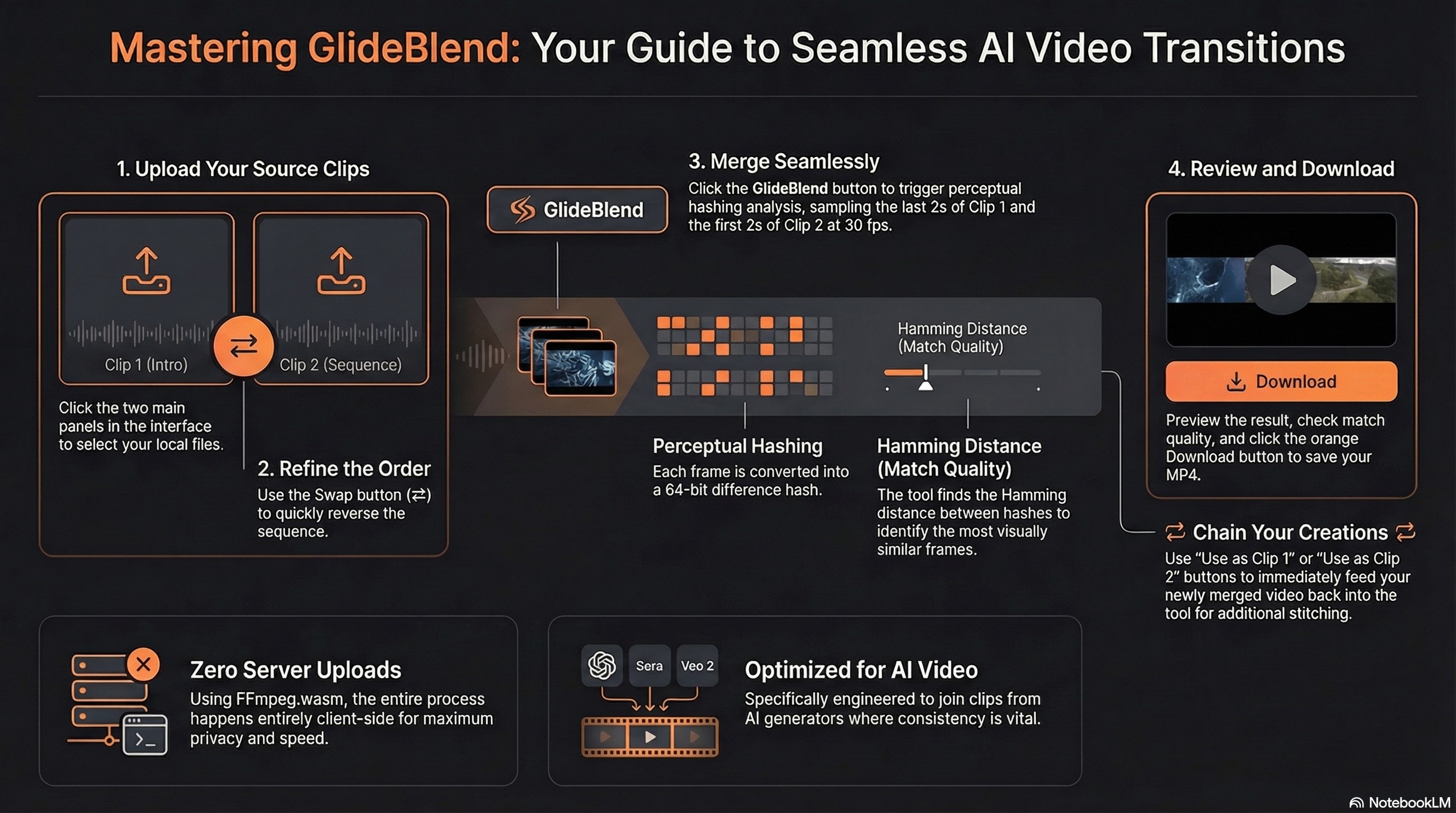
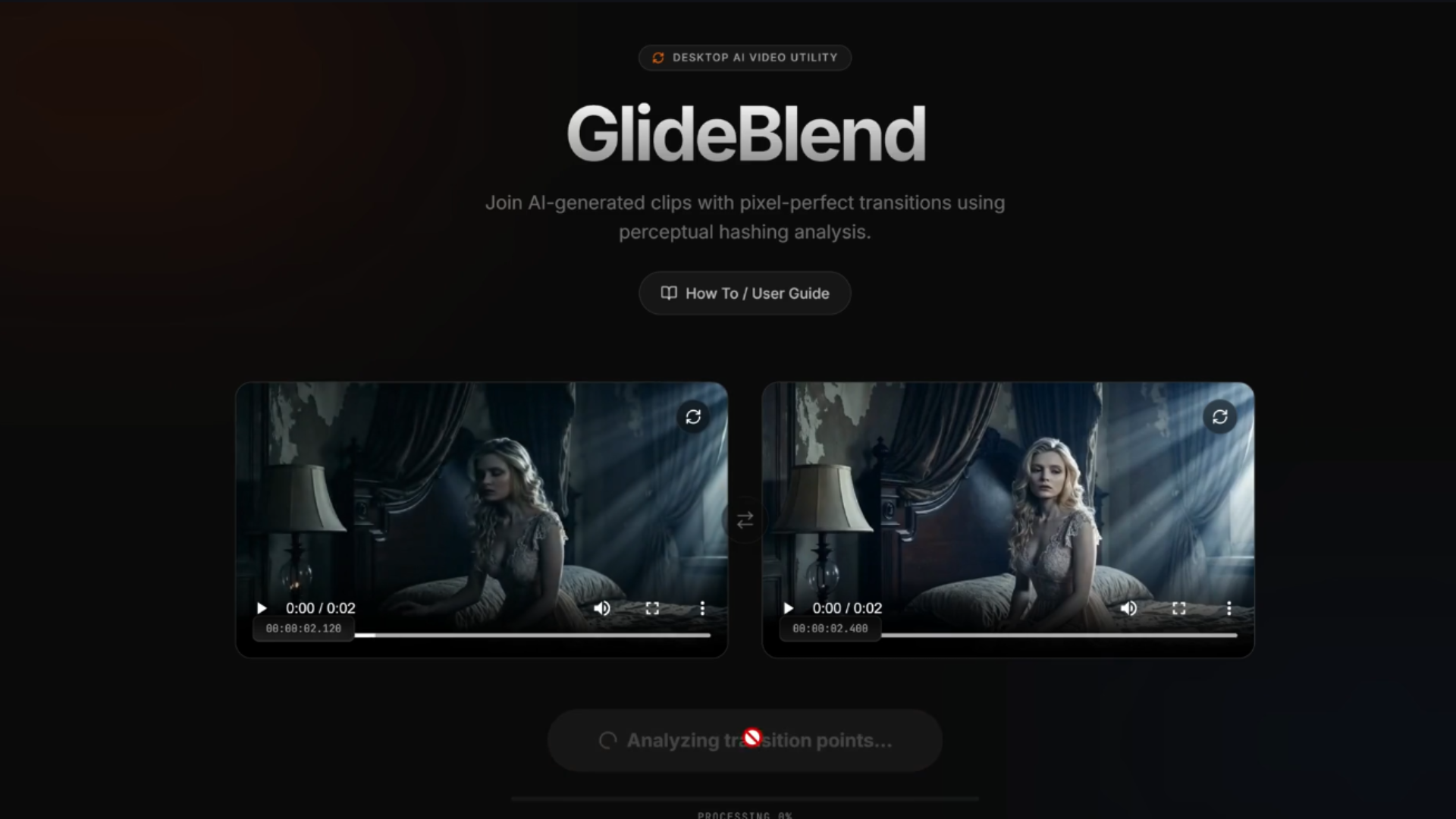
GlideBlend is a browser-based video merging tool that intelligently stitches two video clips together at their most visually similar frames. Instead of a hard cut at an arbitrary timestamp, it uses perceptual hashing (dHash) to scan the transition zone of each clip, finds the pair of frames with the lowest Hamming distance, and uses FFmpeg.wasm to trim and concatenate the clips entirely client-side — no server upload required.
It was built for merging AI-generated videos (e.g., multiple Sora or Veo 2 clips) into one seamless sequence, but works with any video content.
Features
- 🎬 Seamless merging — finds the best matching frame between two clips using 64-bit dHash + Hamming distance
- ⚡ Fully client-side — all processing runs in the browser via FFmpeg.wasm (no file upload to a server)
- 🔗 Chaining support — use the merged output directly as Clip 1 or Clip 2 for the next merge
- 🔀 Swap clips — quickly swap the order of the two input clips
- 📊 Real-time progress — live progress bar and status messages during processing
- 💾 Download as MP4 — one-click download of the merged video
- 🌑 Dark UI — polished dark-mode interface with animated transitions
How It Works
- Frame extraction — the last 2 seconds of Clip 1 and the first 2 seconds of Clip 2 are sampled at 30 fps using an offscreen
<canvas>. - dHash — each frame is downscaled to a 9×8 greyscale image and converted to a 64-bit difference hash.
- Best match — every hash from Clip 1 is compared against every hash from Clip 2 using Hamming distance. The pair with the smallest distance is selected as the cut point.
- FFmpeg trim & concat — Clip 1 is trimmed to the cut point; Clip 2 is trimmed from its cut point to the end; the two trimmed clips are concatenated with stream copy (no re-encode).
Tech Stack
| Layer | Technology |
|---|---|
| Frontend | React 19 + TypeScript 5.8 |
| Build | Vite 6 |
| Styling | Tailwind CSS 4 |
| Video processing | FFmpeg.wasm 0.12 |
| Animations | Motion/React 12 |
| Icons | Lucide React |
| Dev server | Express 4 (with COOP/COEP headers for SharedArrayBuffer)
|
Getting Started
Prerequisites
- Node.js (v18 or later recommended)
Usage
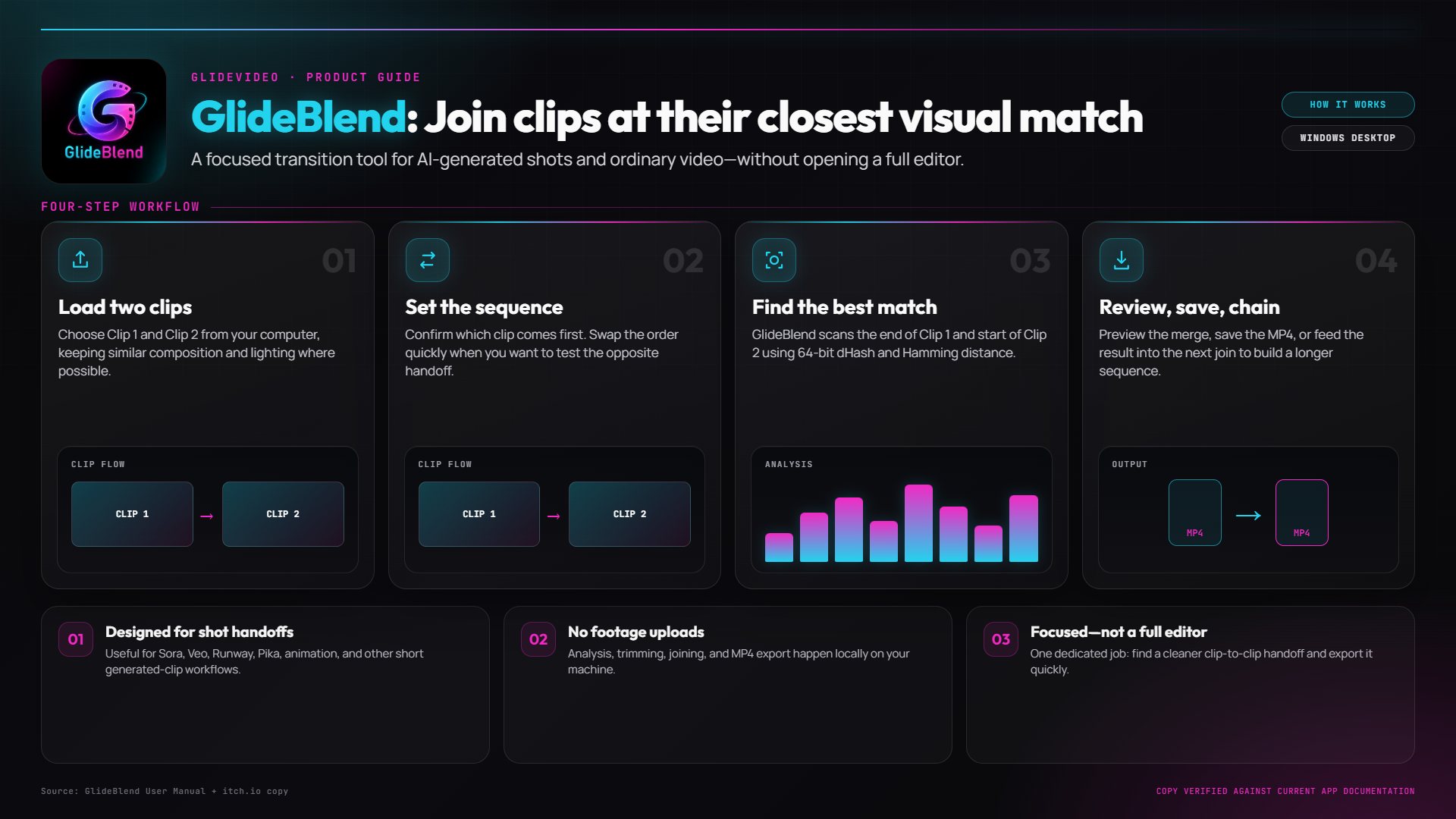
- Upload Clip 1 — click the first panel and select your first video file.
- Upload Clip 2 — click the second panel and select the video you want to append.
- (Optional) Swap clips using the ⇄ button between the panels.
- Click Merge Seamlessly and wait for processing to complete.
- Preview the merged result, inspect the match metadata (Hamming distance, trim points), and click Download to save it as
glideblend.mp4. - (Optional) Click Use as Clip 1 or Use as Clip 2 to chain the merged output into the next merge.
Purchase
Get this utility and 11 more for $19.99 USD
In order to download this utility you must purchase it at or above the minimum price of $1.79 USD. You will get access to the following files:
Also available on

Leave a comment
Log in with itch.io to leave a comment.